1//! [tui](https://github.com/fdehau/tui-rs) is a library used to build rich
2//! terminal users interfaces and dashboards.
4//! 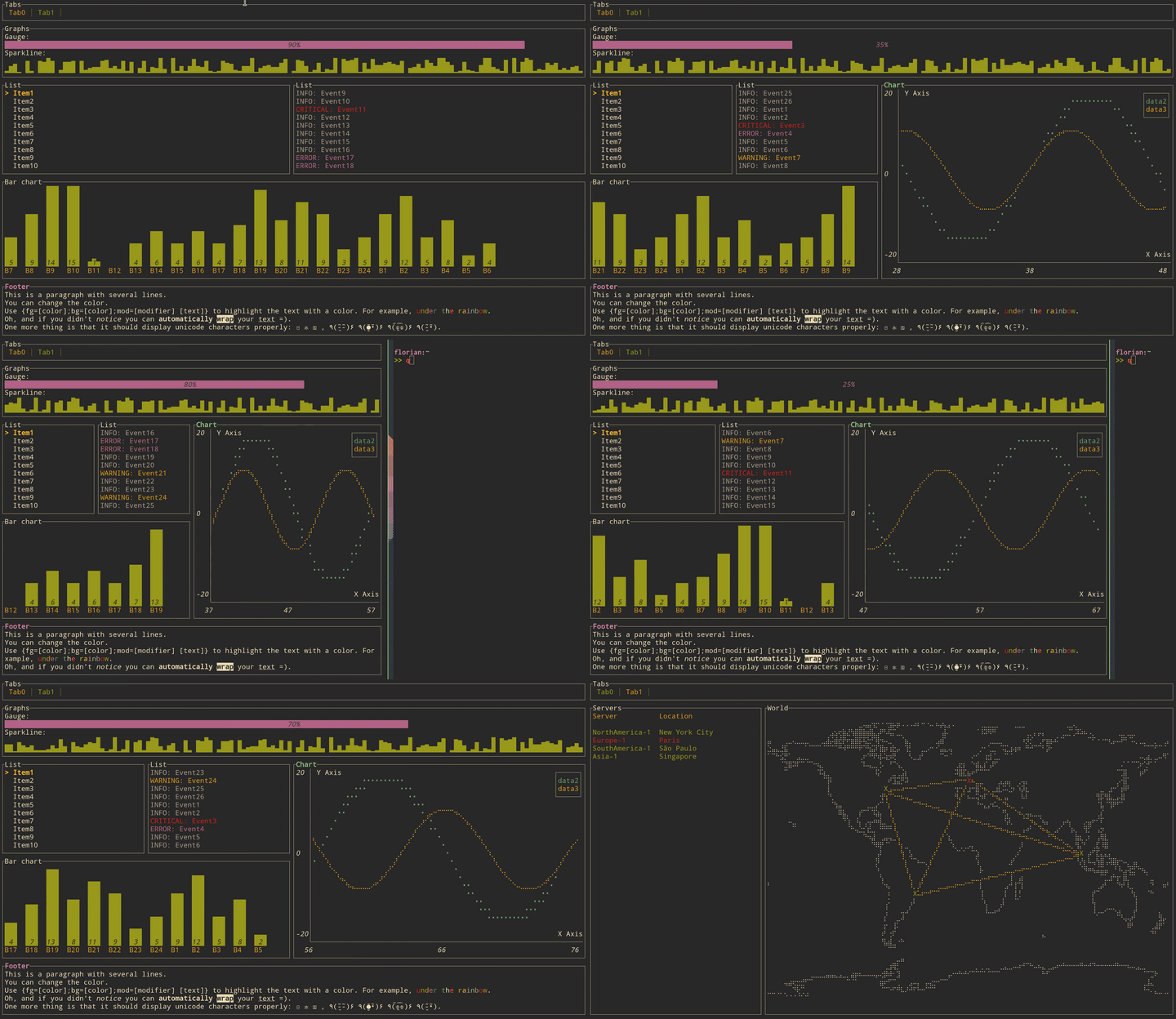
8//! ## Adding `tui` as a dependency
16//! The same logic applies for all other available backends.
18//! ## Creating a `Terminal`
20//! Every application using `tui` should start by instantiating a `Terminal`. It is a light
21//! abstraction over available backends that provides basic functionalities such as clearing the
22//! screen, hiding the cursor, etc.
26//! use helix_tui::Terminal;
27//! use helix_tui::backend::CrosstermBackend;
29//! fn main() -> Result<(), io::Error> {
30//! let stdout = io::stdout();
31//! let backend = CrosstermBackend::new(stdout);
32//! let mut terminal = Terminal::new(backend)?;
37//! You may also refer to the examples to find out how to create a `Terminal` for each available
40//! ## Building a User Interface (UI)
42//! Every component of your interface will be implementing the `Widget` trait. The library comes
43//! with a predefined set of widgets that should meet most of your use cases. You are also free to
44//! implement your own.
46//! Each widget follows a builder pattern API providing a default configuration along with methods
47//! to customize them. The widget is then rendered using the `Frame::render_widget` which take
48//! your widget instance an area to draw to.
50//! The following example renders a block of the size of the terminal:
54//! use crossterm::terminal;
55//! use helix_tui::Terminal;
56//! use helix_tui::backend::CrosstermBackend;
57//! use helix_tui::widgets::{Widget, Block, Borders};
58//! use helix_tui::layout::{Layout, Constraint, Direction};
60//! fn main() -> Result<(), io::Error> {
61//! terminal::enable_raw_mode().unwrap();
62//! let stdout = io::stdout();
63//! let backend = CrosstermBackend::new(stdout);
64//! let mut terminal = Terminal::new(backend)?;
65//! // terminal.draw(|f| {
66//! // let size = f.size();
67//! // let block = Block::default()
69//! // .borders(Borders::ALL);
70//! // f.render_widget(block, size);
78//! The library comes with a basic yet useful layout management object called `Layout`. As you may
79//! see below and in the examples, the library makes heavy use of the builder pattern to provide
80//! full customization. And `Layout` is no exception:
84//! use crossterm::terminal;
85//! use helix_tui::Terminal;
86//! use helix_tui::backend::CrosstermBackend;
87//! use helix_tui::widgets::{Widget, Block, Borders};
88//! use helix_tui::layout::{Layout, Constraint, Direction};
90//! fn main() -> Result<(), io::Error> {
91//! terminal::enable_raw_mode().unwrap();
92//! let stdout = io::stdout();
93//! let backend = CrosstermBackend::new(stdout);
94//! let mut terminal = Terminal::new(backend)?;
95//! // terminal.draw(|f| {
96//! // let chunks = Layout::default()
97//! // .direction(Direction::Vertical)
101//! // Constraint::Percentage(10),
102//! // Constraint::Percentage(80),
103//! // Constraint::Percentage(10)
106//! // .split(f.size());
107//! // let block = Block::default()
108//! // .title("Block")
109//! // .borders(Borders::ALL);
110//! // f.render_widget(block, chunks[0]);
111//! // let block = Block::default()
112//! // .title("Block 2")
113//! // .borders(Borders::ALL);
114//! // f.render_widget(block, chunks[1]);
120//! This let you describe responsive terminal UI by nesting layouts. You should note that by
121//! default the computed layout tries to fill the available space completely. So if for any reason
122//! you might need a blank space somewhere, try to pass an additional constraint and don't use the
123//! corresponding area.
133pub use self::terminal::{Terminal, TerminalOptions, Viewport};
keysesc to close
- j k
- move down, up
- enter
- open
- esc
- back, or up a level
- 1 2 3 4
- readme, files, commits, refs
- /
- filter
- y
- copy the clone command
- c
- compare the chosen commit with another (or shift-click both)
- ?
- show or hide this list