Purslint

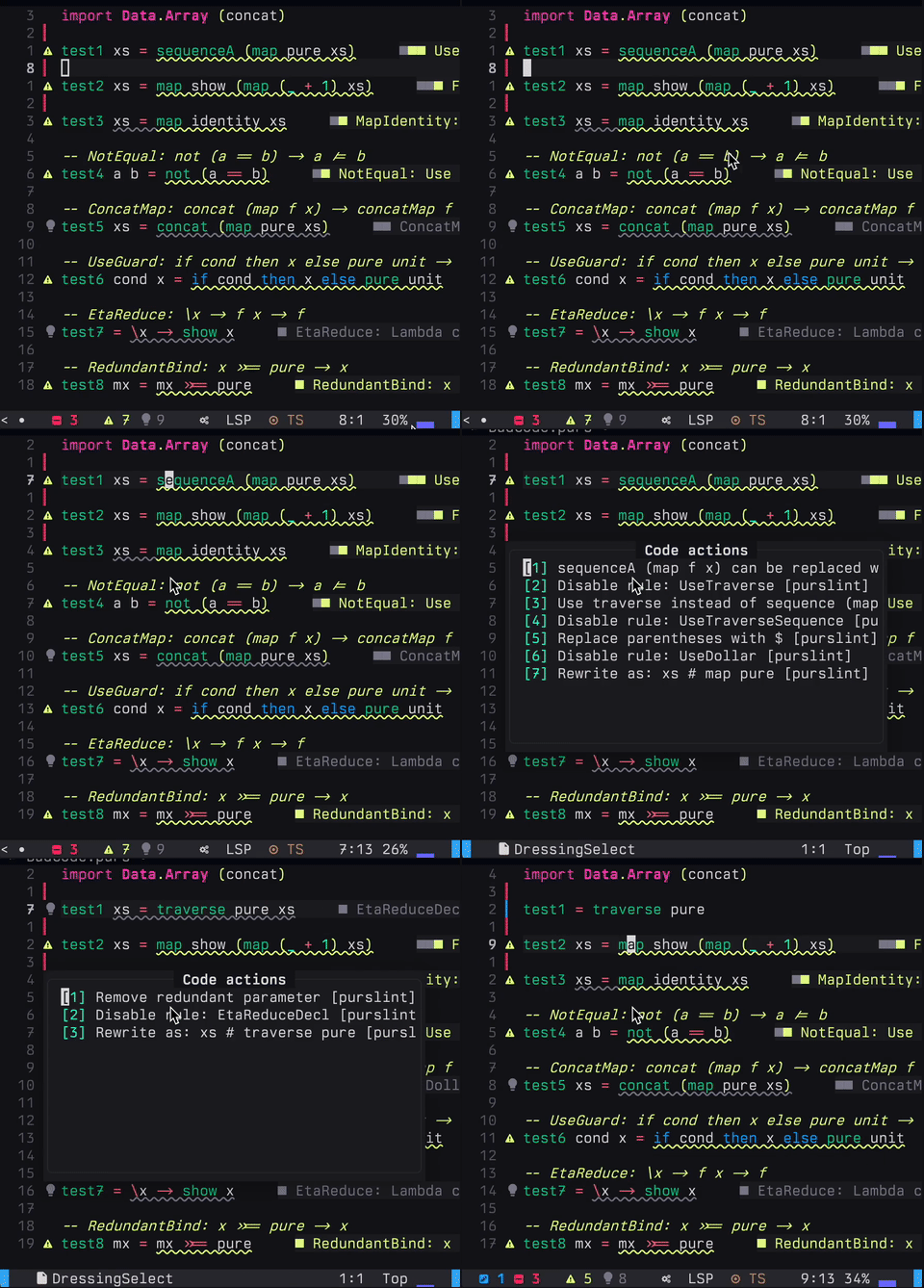
A PureScript linter.
Purslint is very new and may have bugs, so please use an editor with undo functionality. :D
Install
VS Code (Marketplace)
Install from the Visual Studio Marketplace: Purslint.
CLI (npm)
npm install -g purslint

# CLI
purslint --help
Neovim (nvim-lspconfig)
After building purslint-lsp (see build steps below), you can configure Neovim like this:
require("lspconfig").purslint = {
  default_config = {
    cmd = { "/path/to/purslint-lsp" },
    filetypes = { "purescript" },
    root_dir = require("lspconfig.util").root_pattern(".git", "spago.yaml", "package.json"),
  },
}

require("lspconfig").purslint.setup({})
If you prefer to run the bundled JS directly:
cmd = { "node", "/path/to/dist/purslint-lsp.js" }Zed Editor
A Zed extension is available in the zed-extension/ directory. To install:
- Open Zed
- Go to Extensions (Cmd+Shift+X)
- Click "Install Dev Extension"
- Select the
zed-extension/directory
The extension will automatically use the purslint-lsp binary.
Usage
CLI
# Lint a single file
./purslint src/Main.purs

# Lint multiple files
./purslint src/*.purs

# Lint with config file (optional)
./purslint --config purslint.json src/*.purs
LSP (Language Server Protocol)
The LSP binary (purslint-lsp) provides IDE integration. It communicates via stdio using the standard LSP protocol.
Features
Purslint currently ships with 81 lint rules, covering common PureScript refactors and simplifications.
For a complete list, see lib/purslint/src/Purslint/Rules/.
Configuration
Create a purslint.json file in your project root:
{
  "disabledRules": ["LetToWhere", "EtaReduce"]
}
Architecture
Purslint is written in PureScript and compiled to JavaScript via
purs-backend-es, then bundled for Node.js. This allows:
- Full access to the PureScript CST parser (
purescript-language-cst-parser) - Straightforward distribution via npm
- A single runtime across CLI and LSP
Project Structure
purslint/
├── lib/purslint/src/       # Core library
│   └── Purslint/
│       ├── Rules/          # Lint rules
│       ├── Runner.purs     # Rule runner
│       ├── Types.purs      # Core types
│       └── Imports.purs    # Import checking
├── bin/
│   ├── purslint-cli/       # CLI application
│   └── purslint-lsp/       # LSP server
├── test/                   # Test suite
└── zed-extension/          # Zed editor extension
Development
Prerequisites
- PureScript compiler (
purs) - Spago package manager
- Node.js 18+
Building
# Install dependencies
npm install

# Build and bundle CLI + LSP
npm run dist

# Run tests
npm test
Publishing to npm
Publishing is handled by GitHub Actions. Add an NPM_TOKEN secret with an
automation or granular token that has publish rights for purslint, then
create a GitHub Release to trigger the workflow. You can also run it manually
via the workflow dispatch.
Adding a New Rule
- Create a new file in
lib/purslint/src/Purslint/Rules/ - Implement the rule using the CST traversal API
- Export the rule from
Purslint.Rules - Add tests in
test/Test/Main.purs - Rebuild and test
Key Dependencies
purescript-language-cst-parser- PureScript CST parserpurescript-lsp- LSP protocol implementation (Go FFI)purs-backend-es- PureScript to JavaScript backendesbuild- Bundler for CLI and LSP
License
MIT